
Sync the Calendar to your phone
The website has a cool new feature that will automatically sync the team's calendar to the calendar app of your choice (Android, iOS, Google Calendar, Outlook, etc.). This means that you don't have to manually add all of the swim meets and team events to your personal calendar, AND as events are updated, they will automatically sync to your phone!
To sync the team's calendar to your phone's calendar follow these three steps:
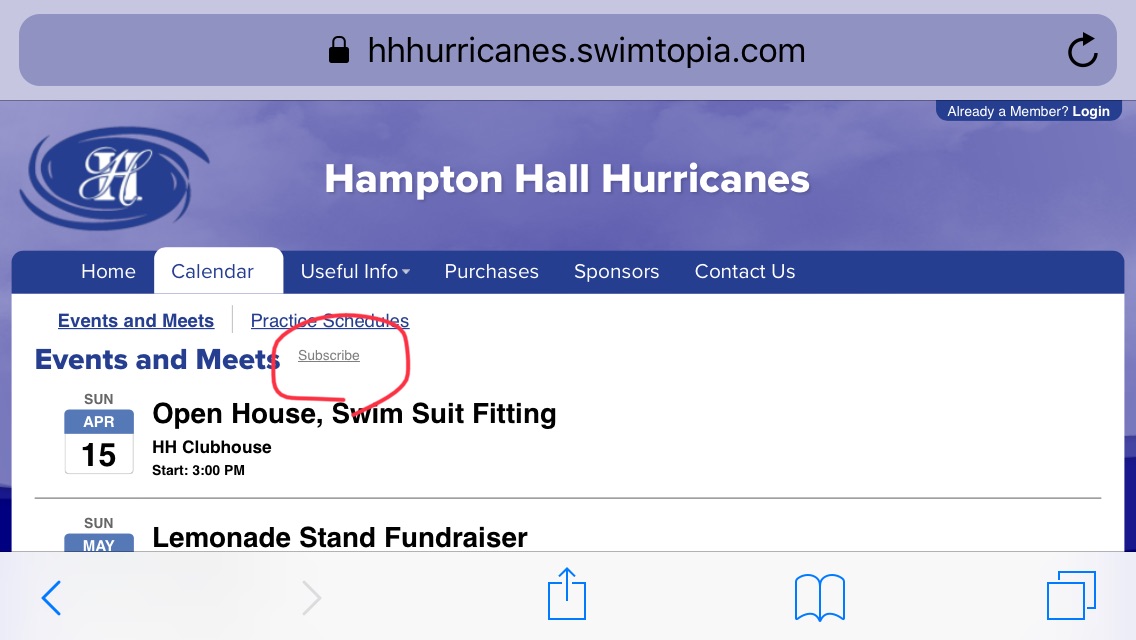
1) go to Calendar > Meets and Events, and click the "Subscribe" button.
2) Choose the calendar app of your choice:
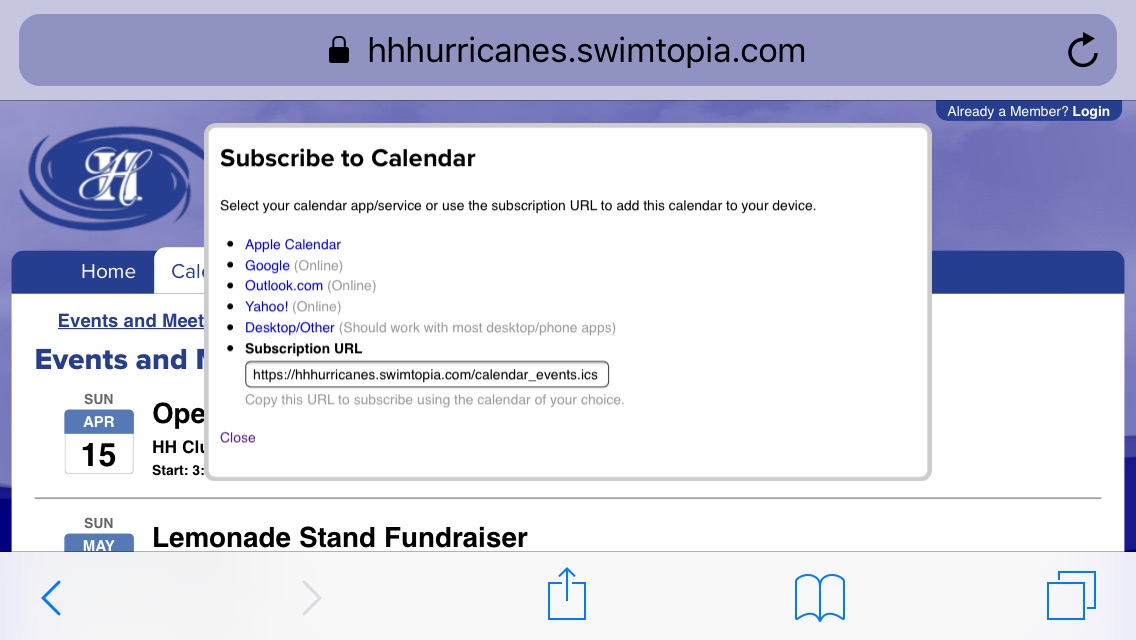
3) Follow your App's instructions for adding these events to your personal calendar.
Text Area
Simple formatted text

